
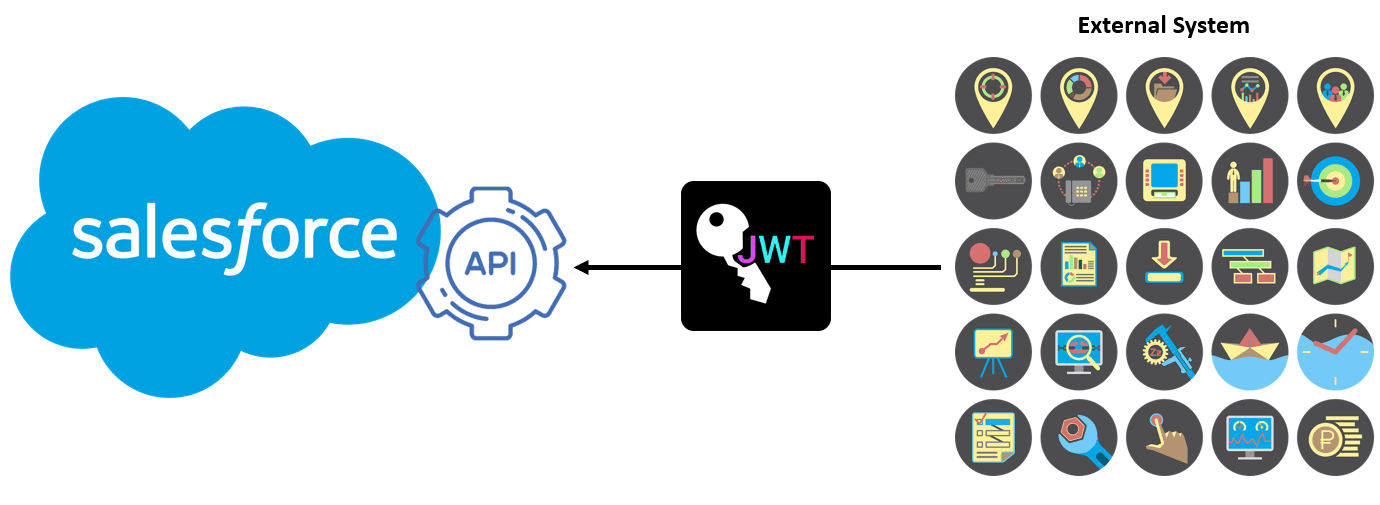
A reference architecture for JWT (JSON Web Token) based authentication from other systems to Salesforce could look like the following:
- Issuing JWT Tokens: An external system, such as a custom application, generates a JWT token that contains claims about the identity of the user and any other relevant information.
- Token Verification: The Salesforce platform verifies the signature of the JWT token using the public key of the trusted issuer.
- User Identification: Salesforce identifies the user based on the information contained in the JWT token, such as the user’s email or username.
- Token-based Session Management: Salesforce uses the JWT token to create a session for the user and manages it throughout the user’s interaction with the platform.
- Authorization: Salesforce checks the user’s permissions to access the requested resources based on the information contained in the JWT token and the platform’s authorization rules.
- Resource Access: If the user is authorized, Salesforce grants access to the requested resources and returns a response to the external system.
It’s important to ensure the security of the JWT tokens, such as using a secure communication channel (e.g. HTTPS), properly verifying the signature of the token, and storing the public keys of trusted issuers securely.
Here is a step-by-step guide to configure JWT-based authentication in Salesforce:
- Set up a Connected App in Salesforce: In Salesforce, navigate to the “Setup” menu, go to “Apps”, and then click on “Connected Apps”. Create a new Connected App and specify the necessary information, such as the name, API name, and contact email. In the “API (Enable OAuth Settings)” section, check the “Enable OAuth Settings” checkbox and enter a callback URL.
- Obtain the Consumer Key and Consumer Secret: After saving the Connected App, obtain the Consumer Key and Consumer Secret, which will be used to sign the JWT tokens.
- Generate a JWT Token: In the external system, generate a JWT token that contains claims about the identity of the user and any other relevant information. The JWT token must be signed with a private key that corresponds to a public key that is trusted by Salesforce.
- Authenticate with Salesforce: Send an authentication request to Salesforce that includes the JWT token as a bearer token in the Authorization header. The request should be sent to the OAuth token endpoint of Salesforce.
- Obtain an Access Token: If the JWT token is valid, Salesforce will respond with an access token, which can be used to access the Salesforce REST API.
- Access Salesforce Resources: Use the access token to access Salesforce resources by including it in the Authorization header of the API request.
It’s important to securely store the private key used to sign the JWT tokens and to keep the Consumer Key and Consumer Secret confidential. Additionally, the JWT token should be properly validated and the access token should be securely stored in the external system.
Here is a conceptual view of the JWT-based authentication architecture for Salesforce:
- External System: The external system is responsible for generating a JWT token that contains claims about the identity of the user and any other relevant information. The JWT token is signed with a private key that corresponds to a public key that is trusted by Salesforce.
- Salesforce Platform: The Salesforce platform is responsible for verifying the signature of the JWT token and creating a session for the user based on the information contained in the JWT token. The platform also checks the user’s permissions to access the requested resources and grants access if the user is authorized.
- JWT Token: The JWT token is a JSON Web Token that contains claims about the identity of the user and any other relevant information. The token is signed with a private key that corresponds to a public key that is trusted by Salesforce.
- Connected App: A Connected App in Salesforce is a type of app that is integrated with the Salesforce platform. The Connected App is used to obtain the Consumer Key and Consumer Secret, which are used to sign the JWT tokens.
- OAuth Token Endpoint: The OAuth token endpoint is a URL in Salesforce that is used to obtain an access token for accessing the Salesforce REST API. The external system sends an authentication request to this endpoint that includes the JWT token as a bearer token in the Authorization header.
- Access Token: The access token is a token that is issued by Salesforce and is used to access the Salesforce REST API. The access token is obtained by sending an authentication request to the OAuth token endpoint with a valid JWT token.
- Salesforce REST API: The Salesforce REST API is a RESTful web service that provides access to the Salesforce platform. The API is used to access Salesforce resources, such as accounts, contacts, and leads.
This conceptual view shows the main components and their interactions in a JWT-based authentication architecture for Salesforce. The JWT token is used to authenticate the user and to grant access to the Salesforce REST API, while the Salesforce platform is responsible for verifying the signature of the JWT token and managing the user’s session.
Here is a physical and logical view of the JWT-based authentication architecture for Salesforce:
Physical View:
- External System: A server or a group of servers that run the custom application that generates the JWT token.
- Salesforce Platform: A cloud-based platform that provides access to the Salesforce resources.
Logical View:
- External System Component: The component in the external system that is responsible for generating the JWT token and sending it to Salesforce.
- Salesforce Authentication Component: The component in the Salesforce platform that is responsible for verifying the signature of the JWT token and creating a session for the user based on the information contained in the JWT token.
- Salesforce Authorization Component: The component in the Salesforce platform that is responsible for checking the user’s permissions to access the requested resources and granting access if the user is authorized.
- Salesforce REST API Component: The component in the Salesforce platform that provides access to the Salesforce resources through a RESTful web service.
- JWT Token: The JSON Web Token that contains claims about the identity of the user and any other relevant information. The token is signed with a private key that corresponds to a public key that is trusted by Salesforce.
This physical and logical view shows the different components involved in the JWT-based authentication architecture for Salesforce and their relationships. The external system generates the JWT token and sends it to Salesforce, which verifies the signature of the JWT token and creates a session for the user. The Salesforce platform then grants access to the requested resources through the Salesforce REST API if the user is authorized.